Tampilkan postingan dengan label EverNote. Tampilkan semua postingan

Jumat, 28 Oktober 2011

How to use Google Chrome as note making software

Evernote is considered as an alternative for Microsoft OneNote in note making. Now you can use your Google Chrome web browser for instant note making with online sync.

evernote-note-making-extension-for-google-chrome

The Evernote extension for Google chrome makes note making simple and very easy task. You need to install the Evernote extension and register an account with Evernote.  Now you can use Google Chrome as a note making tool.

Add the evernote extension to your Google Chrome web browser.

Related: EverNote - an alternative to Microsoft OneNote

Jumat, 05 September 2008

Download Evernote Note making software iPhone

Evernote has be recognized as one of the best free alternative for Microsoft OneNote, note making software. With the overwhelming popularity and worldwide acceptance of iPhone, evernote has launched an iPhone and iPod Touch version of its note making software.

Evernote for iPhone (and iPod Touch) lets you capture any image or text or idea as soon as it is conceived. Evernote's amazing cloud-based sync facility can help you recall all the notes any time from your iPhone, computer or from Web.

The evernote for iPhone has following key features;
  • Helps you to create and edit new notes on the move.
  • Capture photos right into your evernote account
  • Facilitate recording of a quick voice memo
  • Providing all dimension access to your notes.
Get the Evernote for your iPhone from Apple store.

Also read : EverNote a free alternative to Microsoft OneNote

Rabu, 09 Januari 2008

EverNote a free alternative to Microsoft OneNote

You might be aware of the versatile note making software from Microsoft, the OneNote. Here is an affordable note making software that is priceless, free to download, that is EverNote. EverNote is also a very good note making software like Microsoft OneNote.
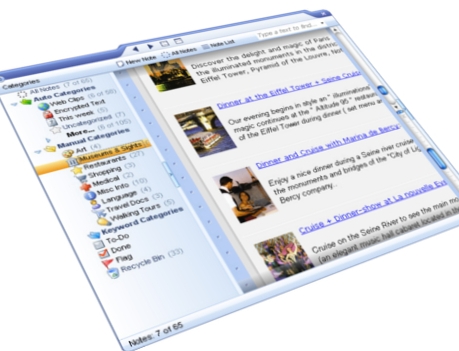
There are two versions of EverNote, one is EverNote and another one is EverNote Pro. The latter one is a pro version of freely available EverNote. The freely available EverNote itself can satisfy the basic needs for GTD activities for an individual or even an organization. The EverNote Pro comes with some advanced features.

The features that makes EverNote to stand along with Microsoft OneNote are
  • Cool and intuitive User Interface.
  • Facility to create notes with text, snapshots, web clips, handwriting, and digital ink.
  • Synchronizing snapshots from Mobile phone, PDA , USB drive etc.
  • Search through images, texts, notes etc.
  • Compatibility with Google Desktop search.
  • Open, arrange, and edit notes in separate windows.
  • Basic image editing facility inside EverNote.
  • Universal Clipper with image markup feature.
  • Supports portable devices, like PocketPC and Windows SmartPhone

After all, the EverNote is free to download and use. Download EverNote for free.

Related: Download Microsoft OneNote 2007 - best note making software