 Google team believes in iterating their products with new features by keeping it in beta for long time. Similarly strategy is played in GMail also with the introduction of GMail labs. GMail team is doing a great job by adding new features which not available in other mail service providers. They have gathered this feature proactively with respect to new market trends and also with the feedbacks of GMail users. There are lot of features getting added in GMail labs, and most of them are worth trying.
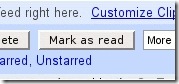
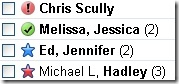 One thing I liked very much is adding "Mark as read" button in the GMail inbox. some other features are moving GMail chat to right side of your GMail inbox, setting start and end dates for vacation responses in GMail, adding colorful superstars, adding your pics in GMail chat, a snake game etc.
If you are still new to GMail Labs, then login to your GMail and go to settings page and select the Labs tab to enable the GMail labs features. And do not forget to save changes.
Also read the article: Enjoy emotions and group chat in GMail


