Suppose you are traveling or at your friends house and you are in need of accessing or showing some of your favorite websites you bookmarked in your desktop web browser. You may have a mobile or laptop with internet connection with you, but the bookmarks are in your home/office desktop, you will not be able to access those bookmarks.
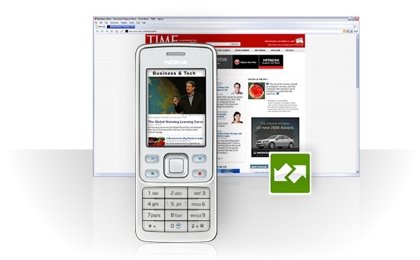
There are couple of suggestions that would help you sync your bookmarks with mobile
Using Opera Link: Opera Link makes your bookmarks available wherever you go: at work, at home, on your phone and on the road. You can synchronize your bookmarks from your Mac or PC, from Opera Mini on your mobile phone, or log on to the Web version of Opera Link. In order to use this feature you need to have an Opera account and
Opera browser 9.5 beta installed on your desktop. Goto "
File" menu and click "
Synchronize Opera" item. Enter your opera account details. Then the browser will take care of synchronizing your bookmarks, personal toolbar and speed dial details. You can access the same details in your mobile either by
installing OperaMini 4 and synchronizing it with your opera account.
Using Google Notepad: You can have the sharing of your bookmarks with your mobile using Google Notebook also. In order to do this you need to have an account in Google and just copy the stuff you want share to the notebook with Firefox extension. Then you can access these info at :
http://www.google.com/notebook/mUsing Yahoo MyWeb : Similarly with Google, you can accomplish the same with your yahoo account also. Just copy or export your bookmarks to Yahoo MyWeb. You can access the same using your mobile with internet connection. Visit: myweb.yahoo.com for more details.
Must read:
Opera Mail still in 3MB Inbox era


